

How to Solve Tachiyomi Error 404 | 2026 Guide
If you’re a manga fan, chances are you’ve used Tachiyomi at some point. For years, it has been one of the most popular manga reader apps thanks to its massive library of extensions and clean reading experience. However, in 2026 many users are facing issues like Error 404, missing extensions, or HTTPS problems that prevent manga from loading properly.
In this guide, we’ll explain why Tachiyomi is no longer working reliably, how to fix common errors, and the best alternative manga reader app you can use today.
Why Tachiyomi Shows Error 404 and Extension Issues
The main reason Tachiyomi is experiencing problems is simple: the app has been discontinued by its original developers. Since there are no official updates anymore, many manga sources and extensions have stopped working or become incompatible with modern security requirements.
As a result, users often encounter:
- Manga pages not loading
- Extensions not appearing or updating
- HTTPS connection errors
- Sources showing Error 404
These issues are not caused by your phone or internet connection — they happen because the app itself is no longer maintained.
Fix Tachiyomi HTTPS / User-Agent Error (Temporary Solution)
If Tachiyomi is still installed on your device, you can temporarily fix the HTTPS or loading issue by updating the User-Agent settings. This method helps some sources load again.
Steps to Fix:
- Open your browser (Chrome recommended).
- Search for “my user agent” or “what is my user agent.”
- Open any result that shows your device’s User-Agent string.
- Copy the full User-Agent text.
- Open Tachiyomi.
- Go to Settings → Advanced → User-Agent.
- Paste the copied User-Agent string.
- Save and restart the app.
After this, many HTTP/HTTPS errors should disappear and sources may load again.
Important tip:
In Tachiyomi settings, keep the installer type set to Legacy Installer, not Package Installer, to avoid installation glitches.
However, remember this is only a temporary fix. Because Tachiyomi is abandoned, problems will continue to increase over time.
The Best Tachiyomi Alternative in 2026
Since Tachiyomi is no longer supported, the best long-term solution is switching to a modern fork that still receives updates. One of the most popular and reliable options right now is Mihon.
4
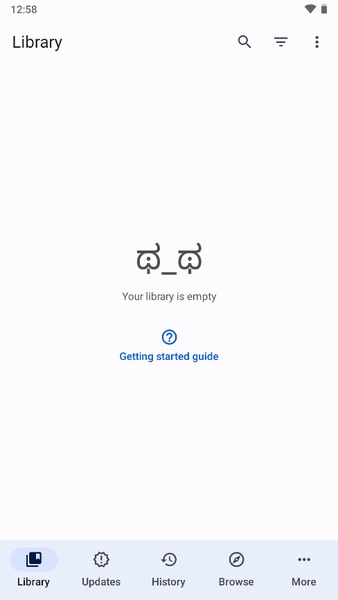
Mihon is essentially a continuation of Tachiyomi with active development and daily updates. It has the same layout, reading style, and extension system — so Tachiyomi users can switch instantly without learning anything new.
Why Mihon Is Better Than Tachiyomi Now
Mihon provides everything Tachiyomi used to offer, but with ongoing support:
- Regular updates and bug fixes
- Working extensions and sources
- Modern HTTPS compatibility
- Same interface as Tachiyomi
- Backup and restore support
- Stable manga loading
In fact, the only visible difference is the name and icon — the overall experience feels almost identical.
How to Install Mihon and Add Extensions
After downloading and installing Mihon, the setup process is similar to Tachiyomi.
Initial Setup
When you open Mihon for the first time:
- Grant storage and notification permissions
- Choose your preferred theme
- Allow extension installation
- Check for updates
You can also restore your Tachiyomi backup if you have one.
Fix Missing Extensions in Mihon (Repository Setup)
If extensions are not appearing, you need to add an extension repository manually.
Steps:
- Open Mihon.
- Go to Settings → Browse → Extension Repositories.
- Tap Add Repository.
- Paste the repository URL (for example, Keiyoushi repo).
- Save.
After adding the repository, all extensions will appear again in the Extensions section and can be installed normally.
Best Manga Sources to Use
Once extensions are restored, you can install your favorite sources again. Many users prefer MangaFire and similar sources for updated chapters and good image quality.
Popular manga like Blue Lock and others are fully updated in working extensions on Mihon, so you won’t miss new releases.
Final Verdict: Should You Still Use Tachiyomi?
Tachiyomi is no longer reliable in 2026 because it has been abandoned. While small fixes like changing the User-Agent may temporarily restore functionality, issues will continue to grow.
Switching to Mihon is the best solution because:
- It’s actively maintained
- Fully compatible with Tachiyomi extensions
- Same user experience
- Stable manga reading
If you want a smooth manga reading experience without errors or missing chapters, Mihon is currently the best Tachiyomi-style app available.
Conclusion
Tachiyomi users worldwide are facing Error 404 and extension failures due to the app’s discontinuation. Although temporary fixes exist, the most effective and permanent solution is migrating to Mihon, a modern and actively updated fork.
By installing Mihon and adding extension repositories, you can restore all your manga sources and continue reading without interruptions in 2026
If you face any issues during setup or need manga source recommendations, feel free to ask — and enjoy uninterrupted manga reading again!